

Alternatives to Very Good Calendar Sync
Very Good Calendar Sync quietly unifies your work, personal, and client calendars on your Mac without linking accounts or exposing sensitive data.
20 alternatives found
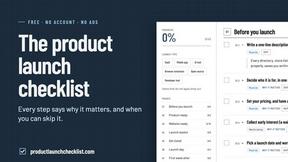
Product Launch Checklist
A free launch checklist for SaaS, apps, AI tools and more. Every step says why it matters and when you can skip it.
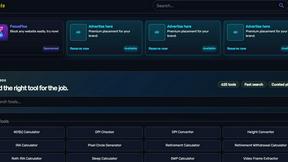
Kody Tools
Free collection of online developer utilities, code formatters, and digital converters designed to streamline your daily workflow.
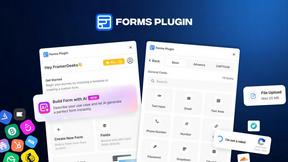
Forms Plugin
The #1 Native Form Builder Plugin for Framer - No Code, No Embeds, No External Platforms.

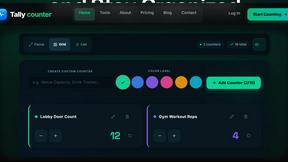
tallycounterweb.com
Tally Counter is a simple online counting tool for tracking attendance, workouts, inventory, sports scores, visitors, and everyday activities.

iHatePosting
Create once, tailor for each platform, and schedule posts across 14 social networks from one simple dashboard.
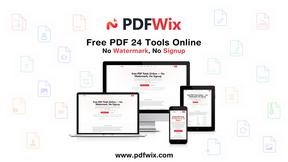
PDFWix
PDFWix is a free online PDF toolkit designed to make everyday PDF tasks simple, fast, and private.
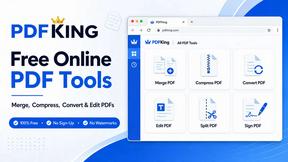
PDFKing
Free online PDF tools to merge, compress, convert, edit, sign, and manage documents—no signup, watermarks, or daily limits.


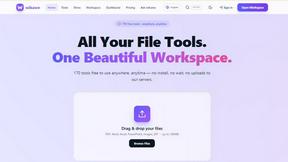
Wikawe
Wikawe is a privacy-first Document OS with powerful PDF & document tools, built to keep your files under your control.

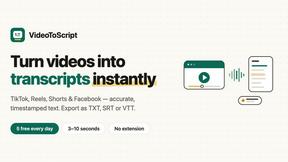
VideoToScript
Turn TikTok, Reels, Shorts, Facebook videos, audio, and video into accurate timestamped transcripts with TXT, SRT, and VTT exports.
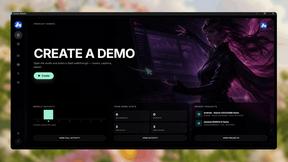
Screen Beaver
Create product videos manually or let your AI agent control Screen Beaver through MCP—no mouse or keyboard needed.


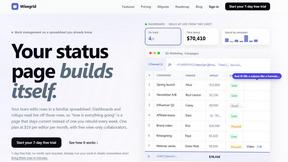
Wisegrid
Wisegrid helps project-driven teams manage projects, workflows, resources, and reporting in a familiar spreadsheet-style workspace.


About Very Good Calendar Sync Alternatives
Very Good Calendar Sync is a macOS-native utility designed to automate the synchronization of multiple calendars, falling squarely into the productivity and management category. It operates quietly in the background, allowing users to set up rules once and then forget about the manual task of checking and updating different calendar apps. While its focus on privacy and local-only data processing is a strong selling point, users commonly look for alternatives due to specific needs such as cross-platform compatibility with Windows or Android, a different pricing model that includes a free tier, or the requirement for advanced features like team-based calendar sharing or integration with non-Apple calendar services like Google Workspace or Outlook.com. When evaluating an alternative, it is crucial to first assess your specific platform requirements, as not all tools offer the same level of integration across macOS, iOS, Windows, and web browsers. You should also consider the data handling policy; while Very Good Calendar Sync excels at keeping data on-device, some users may prefer cloud-based solutions for accessibility across multiple devices. Additionally, examine the granularity of sync filters—such as the ability to sync only busy/free status versus full event details—and whether the alternative supports the specific calendar providers you use. Finally, review the pricing structure to ensure it aligns with your budget, whether you need a one-time purchase, a subscription, or a freemium model.
FAQs about Very Good Calendar Sync Alternatives
What is Very Good Calendar Sync?
Very Good Calendar Sync is a macOS application that automatically synchronizes calendars available in the macOS Calendar.app. It runs in the background, monitoring changes and syncing them according to user-defined rules, such as specific weekdays or time ranges. The app ensures that your work and personal calendars stay perfectly aligned without requiring manual updates or multiple checks.
Who is Very Good Calendar Sync for?
This tool is ideal for professionals who manage multiple calendars across different accounts, including consultants handling client calendars, employees balancing work and personal schedules, and freelancers juggling multiple projects. It is also perfect for anyone tired of manually checking and reconciling calendar events across different sources. The app simplifies calendar management by automating the synchronization process based on customizable filters.
Is Very Good Calendar Sync free?
The provided content does not specify a pricing model, so users should check the official product page for the most current pricing information. However, it is described as a set-once-and-forget tool, suggesting it may be a premium utility rather than a free service. For accurate details regarding cost, free trial availability, or one-time purchase options, you should visit the developer's website.
Is Very Good Calendar Sync secure?
Yes, security is a core feature of Very Good Calendar Sync. Your calendar data never leaves your Mac, as the app uses your computer's native calendar access and does not transmit any information externally. There are no credentials to share, no third-party access, and no cloud storage involved, ensuring complete privacy and control over your scheduling data.