

Alternatives to ytskim
ytskim transcribes and summarizes YouTube videos using AI, letting you quickly capture key insights from any video.
20 alternatives found
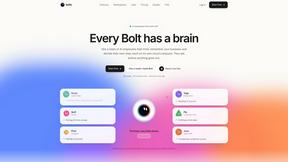
Bolts
AI employees with a brain that think, remember your business and work 24/7 on their own cloud computers.
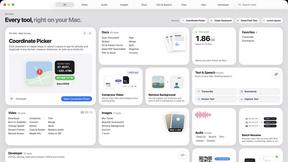
Toolbox
96 private Mac tools in one app: compress video, sign PDFs, remove backgrounds, transcribe. Offline, no account, pay once.


Safe Outreach
AI-powered platform that evaluates the safety of LinkedIn automation tools and helps reduce the risk of account restrictions.


Emailyy
Free email tools for signatures, subject lines, HTML previews, word counts, and email headers. Browser-based, simple to use, and no signup required.

Uniclip
Clip pages, take full-page screenshots and batch-capture list data to Notion, Feishu, Obsidian, Markdown, CSV or JSON.
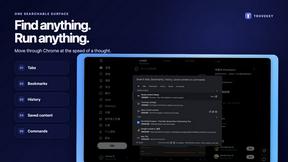
TroveKey
Search tabs, Chrome bookmarks and history, run browser commands, and save webpages and social posts locally—no account.
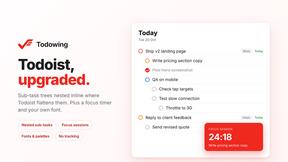
Todowing
Chrome extension that nests Todoist sub-tasks inline in Today, Upcoming, Boards, Filters and Labels, with color palettes and text scaling.
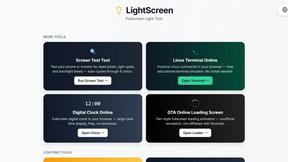
LightScreen
Free light screen tool online. Turn any display into a flashlight, ambient light, or solid-color screen. No download or sign-up.
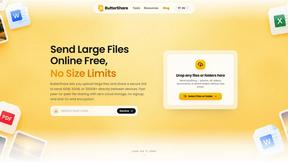
ButterShare
Transfer files between iPhone, Android, Windows, and Mac directly from your browser. Free, secure, and private. No apps, cloud storage, or signup.
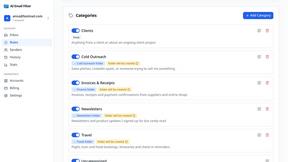
AI Email Filter
AI Email Filter sorts incoming mail into folders using plain-language prompts you write. Works with any IMAP mailbox; bring your own LLM if you want.
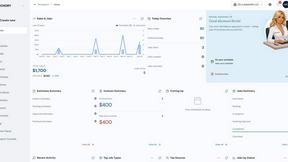
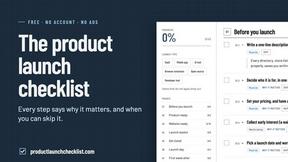
Product Launch Checklist
A free launch checklist for SaaS, apps, AI tools and more. Every step says why it matters and when you can skip it.
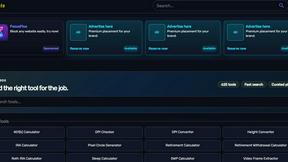
Kody Tools
Free collection of online developer utilities, code formatters, and digital converters designed to streamline your daily workflow.
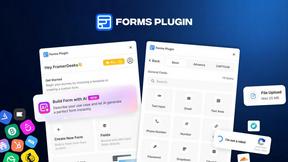
Forms Plugin
The #1 Native Form Builder Plugin for Framer - No Code, No Embeds, No External Platforms.
About ytskim Alternatives
In the landscape of productivity and management tools, ytskim has emerged as a specialized application designed to streamline the consumption of video content. It belongs to a category of software focused on media transcription and summarization, enabling users to convert lengthy YouTube videos into accurate text transcripts and concise, structured summaries within seconds. This functionality is particularly valuable for researchers, students, content creators, and professionals who need to extract key information from video sources without watching the entire footage, thereby saving significant time and improving workflow efficiency. Users often seek alternatives to ytskim for a variety of practical reasons. Pricing models can be a primary concern, as some users may find subscription fees too high for their usage frequency or budget constraints. Feature limitations also drive the search, such as a lack of support for multiple languages, insufficient export format options, or the absence of integration with other popular productivity suites like note-taking or project management apps. Additionally, platform compatibility issues, such as limited browser support or the need for a mobile application, can push users to explore other options. When evaluating an alternative, key considerations should include the accuracy of the transcription engine, the quality and structure of the generated summaries, the range of supported video platforms beyond YouTube, data privacy policies, and the flexibility of output formats for easy editing and sharing.
FAQs about ytskim Alternatives
What is ytskim?
ytskim is a productivity tool that falls under the Productivity & Management category. Its primary function is to transcribe and summarize YouTube videos, providing users with accurate text transcripts and structured summaries in a matter of seconds. This allows users to quickly digest the core information from video content without having to watch the entire video.
Who is ytskim for?
ytskim is designed for a wide range of users who need to efficiently process video information. This includes students who need to take notes from lectures, researchers gathering data from video sources, content creators repurposing video scripts, and professionals who need to quickly review meeting recordings or training materials. Essentially, anyone who consumes YouTube videos for information and wants to save time can benefit from using ytskim.
Is ytskim free?
Based on the provided product content, there is no specific information indicating that ytskim is a free tool. Like many specialized productivity applications, it likely operates on a freemium or subscription-based pricing model. Users should check the official ytskim website for the most current details on pricing tiers, free trials, and available features for each plan.
What are the main features of ytskim?
The core features of ytskim are centered around video content processing. It provides accurate transcripts of any YouTube video, converting spoken words into written text. Additionally, it generates structured summaries that distill the video's key points and main ideas into a readable format. The tool is designed to perform these functions in seconds, emphasizing speed and efficiency for the user.