
DueDrop
DueDrop sends personalized follow-up emails from your own inbox so you get paid without chasing clients.
Visit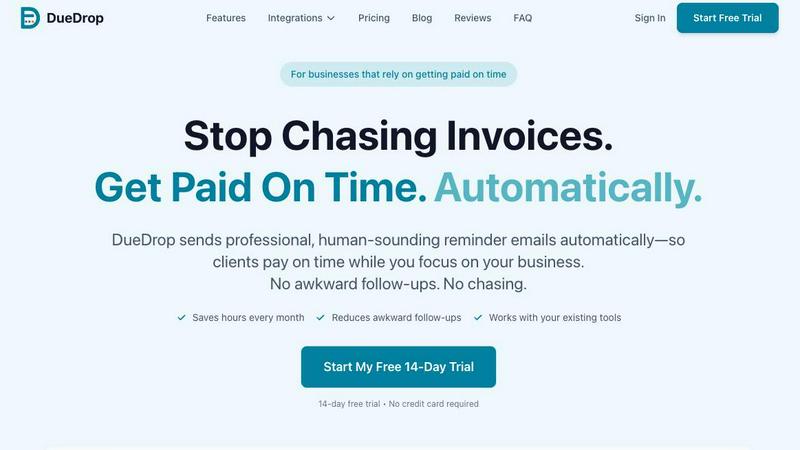
About DueDrop
DueDrop is a smart, automated invoice follow-up tool designed specifically to help freelancers, agencies, and small businesses get paid faster without the awkwardness of chasing payments. The product addresses a fundamental pain point: you did not start a business to chase money you have already earned, yet unpaid invoices quietly drain small teams through missed follow-ups, awkward conversations, and cash flow disruptions. Unlike traditional automated reminders that feel robotic and impersonal, DueDrop sends personalized, human-like emails directly from your real inbox. The product connects seamlessly with existing accounting tools such as QuickBooks, Xero, FreshBooks, or Wave, and works with email providers including Gmail, Outlook, Yahoo, or Zoho Mail. Once connected, you simply set a reminder schedule, and DueDrop takes over completely. It scans for overdue invoices, reads your previous email threads with each client to match your natural tone, drafts a friendly reminder, and sends it from your actual email address at a time you choose. The entire process runs quietly in the background, so you never have to log in to manage follow-ups again. If a client replies, DueDrop automatically pauses the cadence for that invoice, letting real conversations take over naturally. The main value proposition is simple: DueDrop removes the stress, guilt, and time drain of chasing payments, allowing you to focus on running your business while improving your cash flow. It is designed for solo entrepreneurs, creative agencies, and small teams who want professional, consistent follow-ups that preserve client relationships.
Features of DueDrop
Personalized Tone Matching
DueDrop reads your previous email threads with each client to understand your natural writing style and communication patterns. It then drafts reminders that sound like you wrote them personally, using your typical phrasing, greeting style, and level of formality. This eliminates the robotic, impersonal feel of standard automated reminders and ensures each follow-up feels genuine and human.
Real Inbox Sending
Unlike traditional systems that send from noreply addresses or relay domains, DueDrop sends reminders directly through your actual Gmail, Outlook, Yahoo, or Zoho Mail account. Emails appear in your client's inbox as coming from your real email address with your name attached. Replies land in your normal inbox, and clients see a note from you because technically it is from you.
Automatic Cadence Pausing
When a client replies to a reminder, DueDrop automatically pauses the follow-up sequence for that specific invoice. This prevents awkward situations where you are sending follow-ups while a conversation is already happening. The system recognizes real human interaction and steps back, letting you handle the conversation naturally without interference.
Background Automation
After your initial five-minute setup, DueDrop runs entirely in the background without requiring you to log in or manage anything. It scans accounting software for overdue invoices, reads context from prior threads, drafts reminders, queues them for optimal send times, and delivers them all without you opening the application. The system works silently so you can focus on your actual business.
Use Cases of DueDrop
Freelancers Managing Multiple Clients
Freelancers juggling numerous projects and clients often struggle to remember which invoices are overdue and when to send follow-ups. DueDrop automatically tracks every overdue invoice across all clients, drafts personalized reminders that match each client relationship, and sends them on schedule. This frees the freelancer from the mental load of payment tracking while maintaining professional relationships.
Creative Agencies with Recurring Billing
Creative agencies handling monthly retainers and project-based billing face constant cash flow challenges when invoices go unpaid. DueDrop integrates with their accounting software to automatically detect overdue recurring invoices, sends friendly nudges that preserve client rapport, and pauses sequences when clients respond. This ensures consistent cash flow without straining client relationships.
Small Business Owners Wearing Multiple Hats
Small business owners who handle operations, sales, and finances simultaneously often let invoice follow-ups slip through the cracks. DueDrop eliminates this problem by running autonomously in the background, sending professional reminders without the owner needing to remember or feel guilty about chasing payments. The owner can focus on growing the business instead of chasing overdue invoices.
Remote Teams with Distributed Workflows
Remote teams using tools like QuickBooks and Gmail across different time zones benefit from DueDrop's automated scheduling and tone matching. The system sends reminders at optimal times regardless of where team members are located, maintains consistent communication standards across the team, and automatically pauses when clients respond, creating a seamless payment collection process.
Frequently Asked Questions
How does DueDrop match my writing tone?
DueDrop reads your previous email threads with each client to analyze your natural communication style, including your greeting preferences, sentence structure, level of formality, and typical phrasing. It then uses this context to draft reminders that sound authentically like you wrote them. The system learns from your actual conversations rather than using generic templates, ensuring each reminder feels personal and genuine.
Is my data secure with DueDrop?
Yes, DueDrop uses OAuth authentication for all connections and read-only access wherever possible. You can revoke access at any time. The platform employs bank-grade encryption for all data in transit and at rest. DueDrop never stores your email credentials because it uses secure authentication protocols. Your financial data and client information remain protected throughout the entire process.
What happens when a client replies to a reminder?
When a client replies to a DueDrop reminder, the system automatically detects the response and pauses the follow-up sequence for that specific invoice. This prevents any further automated reminders from being sent while you are already in conversation with the client. The reply lands in your normal inbox, and you can handle the discussion naturally without any interference from the system.
Which accounting tools and email providers does DueDrop support?
DueDrop integrates with QuickBooks, Xero, FreshBooks, and Wave for accounting. For email, it supports Gmail, Outlook, Yahoo, and Zoho Mail. The system also works with any email provider that supports SMTP. More accounting integrations are under development, and you can contact DueDrop to request specific tools. Setup takes approximately five minutes with OAuth authentication.
Similar to DueDrop

Egmatic
Egmatic is a no-code editor for 2D games that takes a project from first scene to published build, with no backend work.
Orlyn
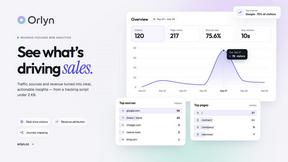
Privacy-first, cookieless web analytics that ties your traffic and marketing channels to real Stripe revenue.
tallycounterweb.com
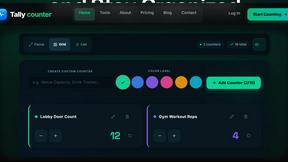
Tally Counter is a simple online counting tool for tracking attendance, workouts, inventory, sports scores, visitors, and everyday activities.
PDFKing
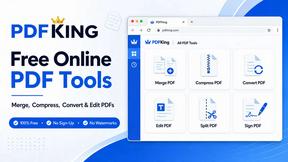
Free online PDF tools to merge, compress, convert, edit, sign, and manage documents—no signup, watermarks, or daily limits.


Wisegrid
Wisegrid helps project-driven teams manage projects, workflows, resources, and reporting in a familiar spreadsheet-style workspace.