
JustPDF
JustPDF is a private, browser-based toolkit with 17 free tools to edit, convert, and manage your PDFs entirely offline.
Visit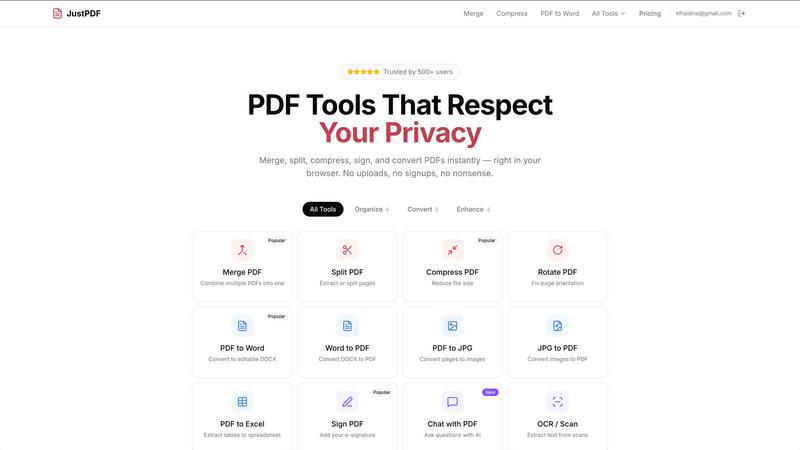
About JustPDF
JustPDF is a revolutionary suite of PDF tools that redefines document processing by prioritizing user privacy and security. It is a comprehensive web application that provides 17 professional-grade tools for managing, converting, and editing PDF files. The platform's core value proposition is its 100% browser-based architecture. Unlike competitors such as Smallpdf and iLovePDF, which require uploading files to remote servers, JustPDF leverages advanced JavaScript and WebAssembly to process all files directly on the user's device. This means your sensitive documents, whether they are contracts, tax forms, or academic papers, never leave your computer or browser. Users can independently verify this by observing no network activity in their browser's Developer Tools. JustPDF is designed for anyone who handles PDFs, from students and educators requiring FERPA-compliant tools, to professionals dealing with confidential business documents, to individuals seeking a quick, free, and private way to manage their files. With a generous free tier and a simple, affordable Pro plan, it offers a powerful, secure, and accessible alternative to traditional online PDF services.
Features of JustPDF
100% Browser-Based Processing
This is the foundational feature of JustPDF. All file processing is executed locally within your web browser using JavaScript and WebAssembly. No data is ever transmitted to external servers, ensuring complete privacy and security. This architecture also allows the tools to function in offline scenarios once the web page is loaded, providing unparalleled reliability and speed without compromising your sensitive information.
Comprehensive PDF Tool Suite
JustPDF offers a robust collection of 17 essential tools covering all major PDF manipulation needs. This includes core organization tools like Merge, Split, Compress, and Rotate, as well as advanced conversion tools for transforming PDFs to and from formats like Word, JPG, and Excel. It also features specialized tools such as Unlock PDF, Flatten PDF, Sign PDF, and modern solutions like Chat with PDF (AI) and OCR/Scan, providing a one-stop solution for virtually any PDF task.
No-Account Free Tier
Users can immediately access the full suite of tools without creating an account or providing any personal information. The free tier allows for 3 operations per day, which is sufficient for most casual users. This commitment to accessibility and privacy lowers the barrier to entry, allowing anyone to perform secure PDF edits without the hassle of registration or the risk of their email being added to marketing lists.
FERPA-Compliant Security
JustPDF is explicitly designed to be compliant with the Family Educational Rights and Privacy Act (FERPA), a critical standard for educational institutions in the United States. This compliance underscores its suitability for students, teachers, and administrators who handle sensitive academic records, transcripts, and research documents. The local processing guarantee meets the stringent data protection requirements necessary for educational use.
Use Cases of JustPDF
Handling Sensitive Business Contracts
Professionals dealing with confidential agreements, merger documents, or financial reports can use JustPDF to merge, compress, or sign PDFs without ever exposing the contents to a third-party cloud server. This mitigates corporate data breach risks and ensures compliance with internal data governance policies, all while using professional-grade tools directly from a web browser.
Academic and Student Workflow
Students and educators can safely edit research papers, combine lecture notes, convert submissions, or compress portfolios for submission. The FERPA-compliant, local processing model makes it ideal for university environments where protecting student information is legally mandated. It eliminates concerns about uploading academic work to unknown servers.
Personal Document Management
Individuals preparing tax documents, applying for jobs, or managing personal records can use JustPDF to organize their files privately. For example, converting scanned receipts to PDF, compressing large files for email attachment, or signing a rental agreement can all be done quickly without sacrificing the privacy of personal identifiers like Social Security numbers or bank details.
On-the-Go and Offline Editing
Users with unreliable or no internet connectivity can still perform critical PDF tasks. Since the processing engine runs in the browser, once the JustPDF website is loaded, tools like compression, rotation, or splitting can be used offline. This is invaluable for travelers, remote workers, or anyone in areas with poor connectivity who needs to edit documents immediately.
Frequently Asked Questions
How does JustPDF ensure my files are private?
JustPDF ensures privacy by processing all files entirely within your web browser. The application uses client-side JavaScript and WebAssembly code to perform all operations (merging, converting, compressing, etc.) directly on your device. You can confirm this by opening your browser's Developer Tools (F12), navigating to the Network tab, and observing that no file data is uploaded to any server when you use a tool.
What is the difference between the free and Pro plans?
The free plan allows users to perform 3 operations per day across all tools without any account registration. The Pro plan, starting at $4 per month, provides unlimited access to all 17 tools. Both plans operate with the same core privacy guarantee of 100% browser-based processing. The Pro plan is designed for power users, professionals, or anyone with frequent PDF editing needs.
Can I use JustPDF on any device or browser?
Yes, JustPDF is designed as a modern web application compatible with all major desktop and mobile browsers that support WebAssembly, including Chrome, Firefox, Safari, and Edge. Because it runs in the browser, it works across Windows, macOS, Linux, iOS, and Android devices, offering a consistent and private experience everywhere.
What does "Chat with PDF" do?
The "Chat with PDF" feature is an AI-powered tool that allows you to interact with the content of your PDF document. You can upload a PDF and ask questions about its contents, request summaries, or find specific information. Like all other tools, this conversation happens with the file processed locally in your browser, keeping the document's content private while leveraging AI for analysis.
Pricing of JustPDF
JustPDF operates on a simple freemium pricing model. The service offers a completely free tier that requires no account sign-up and allows for 3 operations per day across its entire suite of 17 tools. For users requiring unlimited access, the Pro plan is available starting at $4 per month. This subscription removes the daily operation limit, providing unrestricted use of all features, including Merge, Split, Compress, Convert, Sign PDF, Chat with PDF, and OCR, while maintaining the same 100% browser-based, private processing.
Explore more in this category:
Similar to JustPDF
ButterShare
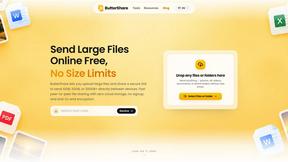
Transfer files between iPhone, Android, Windows, and Mac directly from your browser. Free, secure, and private. No apps, cloud storage, or signup.
AI Email Filter
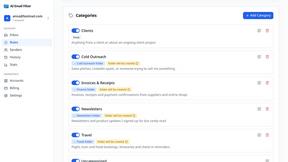
AI Email Filter sorts incoming mail into folders using plain-language prompts you write. Works with any IMAP mailbox; bring your own LLM if you want.
Product Launch Checklist
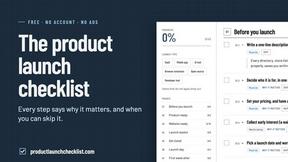
A free launch checklist for SaaS, apps, AI tools and more. Every step says why it matters and when you can skip it.
Kody Tools
Free collection of online developer utilities, code formatters, and digital converters designed to streamline your daily workflow.
Forms Plugin
The #1 Native Form Builder Plugin for Framer - No Code, No Embeds, No External Platforms.


tallycounterweb.com
Tally Counter is a simple online counting tool for tracking attendance, workouts, inventory, sports scores, visitors, and everyday activities.

iHatePosting
Create once, tailor for each platform, and schedule posts across 14 social networks from one simple dashboard.