MacBrightness
MacBrightness boosts your Mac screen past its limit to 1,600 nits for clear outdoor visibility using your existing brightness keys.
Visit
About MacBrightness
MacBrightness is a lightweight software utility designed for MacBook Pro users who need more screen brightness than macOS natively allows. The application unlocks the hidden HDR brightness range that Apple builds into its mini-LED displays, enabling users to achieve up to 1,600 nits of sustained brightness across every application, not just during HDR video playback. This means your Mac screen can become nearly twice as bright as the standard maximum, making it readable in direct sunlight, on bright patios, next to sunny windows, or anywhere ambient light would normally turn your display into a mirror. The product is built for professionals, travelers, remote workers, and anyone who uses their MacBook Pro outdoors or in bright environments. MacBrightness works seamlessly with the existing brightness keys on your keyboard, so there are no new shortcuts to learn, no menu bar icons to hunt for, and no complicated setup procedures. The software operates with no noticeable CPU overhead and uses no low-level system hacks, simply opening the brightness range your display already maintains for HDR content. It is compatible with MacBook Pro 14-inch and 16-inch models featuring M-series Pro or Max chips, as well as the Pro Display XDR. MacBrightness offers a unique free trial in Splitscreen Mode, where half the screen jumps to full brightness so users can see the difference side by side before purchasing a full license.
Features of MacBrightness
System-Wide Brightness Boost
MacBrightness unlocks the full brightness potential of your MacBook Pro display across every application, not just during HDR video playback. While macOS restricts the maximum brightness to approximately half the panel capability, this software enables the screen to reach up to 1,600 nits in any app, including web browsers, document editors, design software, and video conferencing tools. The brightness boost is consistent and sustained, meaning your screen remains readable in direct sunlight without dimming or flickering. This system-wide approach ensures that whether you are editing photos, reading emails, or coding outdoors, your display delivers the same high brightness level that Apple reserves exclusively for HDR content in standard macOS.
Works with Existing Brightness Keys
MacBrightness integrates directly with the brightness keys already on your MacBook Pro keyboard, eliminating the need to learn new shortcuts or navigate through menu bars. When you press the brightness up key, the display continues to increase past the old macOS limit, extending the range naturally. This intuitive design means you simply tap up a few more times to reach full brightness, just as you would normally adjust your screen. There are no additional controls, sliders, or third-party widgets required, making the transition from standard brightness to MacBrightness completely seamless. The feature works with both the physical function keys and the Touch Bar brightness controls on compatible MacBook models.
No Performance Impact
The application operates with no noticeable CPU overhead and uses no low-level system hacks, ensuring your MacBook Pro maintains its full performance for demanding tasks. MacBrightness simply accesses the HDR brightness range that your display already keeps available for video content, and extends that capability to all applications. This means you can run the software alongside resource-intensive programs like video editors, virtual machines, or development environments without experiencing lag, battery drain, or system instability. The lightweight design requires no background processes that consume significant power, making it suitable for all-day use on battery power as well as when plugged in.
Splitscreen Free Trial
MacBrightness offers a unique and generous free trial through its Splitscreen Mode, which allows users to experience the brightness difference without any time limits or feature restrictions. When you launch the application, one half of your screen jumps to full brightness while the other half remains at the standard macOS level, creating a clear side-by-side comparison. This visual demonstration lets you see exactly how much brighter your display can become before committing to a purchase. The Splitscreen Mode stays free for as long as you want, giving you unlimited time to evaluate the product in your real-world working conditions. When you decide to unlock the full screen, a one-time purchase removes the split and applies brightness across the entire display.
Use Cases of MacBrightness
Outdoor and Remote Work
Professionals who work from outdoor locations such as café patios, park benches, balconies, or airport gates face the constant challenge of unreadable screens in direct sunlight. MacBrightness addresses this by boosting the display to up to 1,600 nits, which cuts through glare and ambient light to keep text, images, and interfaces sharp and visible. Remote workers, digital nomads, and field technicians can set up their workspace anywhere without hunting for shade or adjusting their posture to see the screen. The brightness boost works consistently across all applications, so whether you are taking video calls, editing documents, or reviewing spreadsheets, your display remains functional and comfortable to use in bright outdoor environments.
Travel and Commuting
Frequent travelers who use their MacBooks on planes, trains, or in bright hotel rooms benefit significantly from MacBrightness. Airplane cabins often have harsh overhead lighting that makes standard laptop screens difficult to read, especially during daytime flights. Similarly, working from a bright hotel room near a window or on a train with direct sunlight streaming through the windows can render a standard display nearly unusable. With MacBrightness, travelers can boost their screen brightness instantly using the same keys they already use, ensuring they can work productively in any transit environment. The one-time purchase model means no subscription fees, making it an economical solution for professionals who travel regularly.
Creative and Design Work
Photographers, videographers, graphic designers, and other creative professionals who work with visual content outdoors or in bright studios require precise screen visibility to evaluate colors, contrast, and details. MacBrightness provides the extra brightness needed to see fine details in photos, video footage, and design mockups when working in environments with significant ambient light. Since the brightness boost applies to every application, designers can use it in Adobe Creative Suite, Final Cut Pro, or any other creative tool without switching modes or adjusting settings. The sustained 1,600-nit brightness ensures that highlights remain visible and shadows stay distinguishable, which is critical for accurate creative work.
Presentations and Demos
Professionals who conduct presentations, product demos, or client meetings in bright conference rooms, trade show floors, or outdoor venues can use MacBrightness to ensure their screen is visible to everyone in the audience. Standard laptop brightness often washes out under bright room lighting, making it difficult for viewers to see details on the screen. By boosting the display to its full potential, presenters can maintain clear visibility for their audience without needing to dim the room lights or move to a darker location. The system-wide application means that slides, videos, live demos, and web content all benefit from the increased brightness, making presentations more professional and effective.
Frequently Asked Questions
Which Mac models are compatible with MacBrightness?
MacBrightness works with MacBook Pro 14-inch and 16-inch models that feature M-series Pro or Max chips, as well as the Pro Display XDR. These models use mini-LED panels that are capable of sustaining approximately 1,600 nits of brightness, which is significantly higher than the standard macOS brightness limit. Other Mac models, including those with standard LED displays, do not have the hardware capability to support the extended brightness range and are therefore not compatible. You can check your Mac model by clicking the Apple menu and selecting About This Mac to confirm your chip type and display specifications.
Does MacBrightness affect battery life or performance?
MacBrightness is designed to have no noticeable CPU overhead and uses no low-level system hacks, meaning it will not impact your MacBook Pro performance or cause significant battery drain. The software simply opens the HDR brightness range that your display already supports for video content, extending that capability to all applications. Running your screen at higher brightness levels will consume more power than at lower levels, similar to how any display uses more energy when set to maximum brightness. However, the software itself does not introduce background processes or additional power consumption beyond what the display naturally requires at those brightness levels.
How does the free trial work?
When you download and open MacBrightness, it launches in Splitscreen Mode automatically. In this mode, one half of your screen jumps to full brightness while the other half remains at the standard macOS level, allowing you to see the difference side by side. This Splitscreen Mode is completely free and has no time limit, so you can use it for as long as you like without paying anything. When you decide you want the full screen to be bright, you can purchase a one-time license that unlocks the brightness across the entire display. There are no subscriptions, recurring fees, or accounts required to use the free trial or purchase the full version.
Can I use MacBrightness with external monitors?
MacBrightness is specifically designed for the built-in displays of compatible MacBook Pro models and the Pro Display XDR. It does not currently support external monitors, including Apple Studio Display or third-party monitors, because those displays do not have the same mini-LED hardware capabilities that enable the extended brightness range. The software focuses exclusively on unlocking the hidden brightness potential that already exists in your MacBook Pro display. If you connect an external monitor, the brightness boost will only apply to your MacBook Pro built-in screen, while the external monitor will operate at its standard brightness levels.
Pricing of MacBrightness
MacBrightness is available through a simple one-time purchase model with no subscriptions or recurring fees. The full license costs $5 and permanently unlocks the brightness boost across your entire screen for all applications. Before purchasing, you can download the free trial that opens in Splitscreen Mode, where half your screen shows full brightness for unlimited time at no cost. There are no accounts required, no personal information needed to download the trial, and no hidden fees. The one-time purchase covers all compatible Macs you own and includes future updates to the software. This pricing structure makes MacBrightness an affordable, permanent solution for anyone who needs extra screen brightness without ongoing costs.
Explore more in this category:
Similar to MacBrightness
tallycounterweb.com
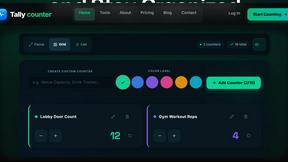
Tally Counter is a simple online counting tool for tracking attendance, workouts, inventory, sports scores, visitors, and everyday activities.

iHatePosting
Create once, tailor for each platform, and schedule posts across 14 social networks from one simple dashboard.

PDFWix
PDFWix is a free online PDF toolkit designed to make everyday PDF tasks simple, fast, and private.
PDFKing
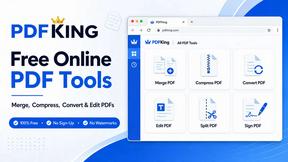
Free online PDF tools to merge, compress, convert, edit, sign, and manage documents—no signup, watermarks, or daily limits.