
QuickSigner
QuickSigner is an end-to-end electronic signature platform that lets you securely sign, send, and track legally binding documents online in seconds.
Visit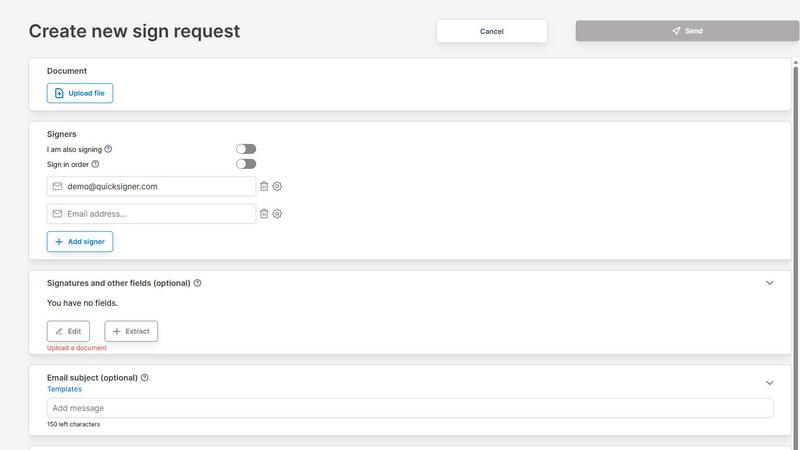
About QuickSigner
QuickSigner is a comprehensive, end-to-end electronic signature platform designed to transform how businesses and individuals handle document signing and agreement workflows. At its core, QuickSigner accelerates the entire process of signing, sending, and finalizing documents, effectively turning what traditionally takes days of back-and-forth communication into a matter of minutes. The platform is built for a wide range of users, from solo professionals and small teams to larger organizations seeking a cost-effective and powerful alternative to legacy solutions like DocuSign. QuickSigner supports Adobe Approved Trust List (AATL) electronic signatures, ensuring that all signed documents meet the highest standards of legal validity and security. Furthermore, the platform is ISO 27001 certified, demonstrating a robust commitment to information security management and the protection of sensitive data. With a user-friendly interface that requires no software installation or account creation for recipients, QuickSigner simplifies the entire signing experience. It supports a variety of document types, including PDF and Word, and offers features like real-time tracking, customizable templates, and an API for seamless integration into existing workflows. The main value proposition of QuickSigner lies in its ability to deliver speed, reliability, cost savings, and legal security, making it an ideal choice for businesses looking to streamline their operations, improve efficiency, and close deals faster. Testimonials from users highlight significant improvements in process effectiveness and budget savings, with many reporting that QuickSigner has completely replaced more expensive alternatives.
Features of QuickSigner
AATL Electronic Signatures and ISO 27001 Certification
QuickSigner utilizes Adobe Approved Trust List (AATL) electronic signatures, which are globally recognized and legally binding. This feature ensures that every signature applied through the platform meets rigorous legal standards, providing full enforceability in courts. Additionally, the platform is ISO 27001 certified, meaning it adheres to a comprehensive framework for managing information security risks, including the protection of confidential document data. This dual layer of security and legal compliance gives users complete confidence in the integrity and validity of their signed agreements, making it suitable for regulated industries and high-stakes contracts.
Simple Document Upload and Field Placement
The platform streamlines the signing process with an intuitive drag-and-drop interface. Users can quickly upload documents in common formats like PDF and Word. Once uploaded, they can easily add recipients by entering their email addresses and then precisely place signature fields, date fields, text fields, and initial fields exactly where they are needed on the document. This level of control eliminates confusion for signers and ensures that all required information is captured correctly, reducing the risk of errors or incomplete agreements. The ability to add initials, as requested by users, shows the platform’s responsiveness to customer feedback.
Secure Online Signing Without Account Creation
One of QuickSigner’s most powerful features is its recipient-friendly signing process. Recipients do not need to create an account, install any software, or download an app to sign a document. They receive a secure, unique link via email, which they can open on any device, including desktops, tablets, or smartphones. The signing process is fast and straightforward, guided by the fields placed by the sender. This frictionless experience significantly increases the likelihood of prompt signing, reduces support queries, and ensures that deals can be closed quickly without technical barriers for the signer.
Real-Time Tracking and Document Management
QuickSigner provides comprehensive tools for monitoring the progress of document signing requests. Senders can track the status of each document in real time, seeing when a recipient has viewed, opened, or signed the agreement. This visibility allows for proactive follow-ups and ensures that no document gets lost in the process. Once all parties have signed, the completed, legally binding document is instantly finalized and made available for download. The platform also supports preset templates for frequently used documents, enabling teams to standardize their agreements and save significant time on repetitive tasks, improving overall document management and operational efficiency.
Use Cases of QuickSigner
Streamlining Sales Contracts and Proposals
Sales teams can use QuickSigner to dramatically reduce the time it takes to close deals. Instead of printing, scanning, and emailing contracts back and forth, sales representatives can upload a proposal or contract, add the customer’s email and signature fields, and send it out in seconds. The customer signs from any device without needing an account, and the sales team receives the finalized contract instantly. This speed allows businesses to serve clients better, close deals faster, and improve overall sales efficiency, as highlighted by users in the travel and accounting industries.
Simplifying Human Resources Onboarding
HR departments can leverage QuickSigner to manage new hire paperwork efficiently. Offer letters, employment contracts, tax forms, and policy acknowledgments can all be sent for signature in a single request. The ability to add multiple signers and multiple documents per request streamlines the entire onboarding process. New employees can sign all necessary documents from their personal devices before their first day, eliminating paperwork bottlenecks and ensuring a smooth, compliant, and paperless start for new team members.
Accelerating Legal Agreements and NDAs
Law firms, legal departments, and businesses that regularly handle contracts and non-disclosure agreements can benefit from QuickSigner’s security and legal compliance. With AATL signatures and ISO 27001 certification, the platform provides the legal validity and data protection required for sensitive legal documents. Lawyers can send agreements to clients, partners, or opposing counsel for signature, track the progress, and receive fully executed documents with a clear audit trail, all while maintaining high standards of confidentiality and security.
Facilitating Client Onboarding for Service Providers
Service-based businesses, such as consultants, financial advisors, and travel agencies, can use QuickSigner to onboard new clients seamlessly. Instead of requiring clients to print, sign, and mail back service agreements, the business can send a digital version for immediate signature. This reduces friction in the client relationship, speeds up the time to first engagement, and creates a professional, modern impression. The real-time tracking feature allows the business to know exactly when a client has signed, allowing them to begin work without delay.
Frequently Asked Questions
What types of documents does QuickSigner support?
QuickSigner supports the most common document formats used in business, specifically PDF and Word documents. This allows users to upload contracts, agreements, forms, and other files directly from their computer or cloud storage without needing to convert them. The platform is designed to handle these formats reliably, ensuring that the layout and content of the original document are preserved for the signing process.
Are signatures made with QuickSigner legally binding?
Yes, signatures made with QuickSigner are fully legally binding. The platform uses Adobe Approved Trust List (AATL) electronic signatures, which are recognized and trusted globally for their legal validity. This means that documents signed through QuickSigner are enforceable in court and meet the strictest legal requirements for electronic signatures in most jurisdictions, including the ESIGN Act in the United States and eIDAS in Europe.
Do recipients need to create an account to sign a document?
No, recipients do not need to create an account or install any software to sign a document sent via QuickSigner. They simply receive a secure link in their email, click on it, and are taken directly to the document. They can then fill in the required fields (like signature, date, or text) using their mouse, finger, or stylus on any device. This no-account-required approach makes the signing process fast and easy for everyone.
How does QuickSigner ensure the security of my documents?
QuickSigner takes security very seriously, as evidenced by its ISO 27001 certification. This international standard requires a robust Information Security Management System (ISMS) to protect sensitive data. This includes encryption of documents in transit and at rest, secure access controls, and regular security audits. Additionally, the use of AATL signatures provides a secure, tamper-evident seal on the final document, ensuring that it cannot be altered after signing without detection.
Pricing of QuickSigner
QuickSigner offers a tiered pricing structure designed to accommodate different user needs and usage levels. The platform provides a free plan for occasional use, as well as paid plans for more frequent and advanced requirements.
The Personal (Free) plan is ideal for individuals who only need to sign documents occasionally. It includes 3 documents per month, with up to 3 signers per sign request and up to 1 document per sign request. Documents are limited to a maximum size of 5 MB and only PDF files are supported. This plan includes basic fields like signature and stamp.
The Business plan is priced at $5 per month per user and is designed for small teams that sign documents every week. It offers a 14-day free trial. Users can save 20% by choosing yearly payment, which costs $48 per year. This plan includes all features from the Free Plan, plus unlimited documents per month, up to 10 signers per sign request, up to 3 documents per sign request, and a larger maximum document size of 10 MB. For detailed information on higher-tier plans or enterprise options, users are encouraged to visit the QuickSigner website or contact the sales team.
Explore more in this category:
Similar to QuickSigner
Novastart
Apps and files on an infinite canvas where people and AI agents work together.
ButterShare
Transfer files between iPhone, Android, Windows, and Mac directly from your browser. Free, secure, and private. No apps, cloud storage, or signup.
AI Email Filter
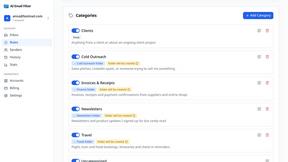
AI Email Filter sorts incoming mail into folders using plain-language prompts you write. Works with any IMAP mailbox; bring your own LLM if you want.


Product Launch Checklist
A free launch checklist for SaaS, apps, AI tools and more. Every step says why it matters and when you can skip it.
Kody Tools
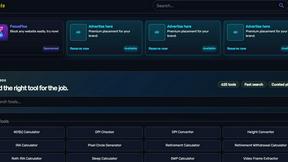
Free collection of online developer utilities, code formatters, and digital converters designed to streamline your daily workflow.
Forms Plugin
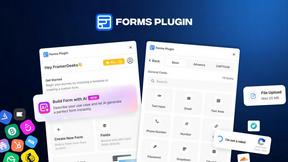
The #1 Native Form Builder Plugin for Framer - No Code, No Embeds, No External Platforms.