
Sprite-AI
Sprite-AI instantly generates pixel-perfect game sprites from your text descriptions, letting you customize and export them for any game engine.
Visit
About Sprite-AI
Sprite-AI is a specialized, AI-powered pixel art generator designed to serve the rapid asset creation needs of indie game developers, hobbyists, and game prototypers. The platform allows users to describe a 2D sprite in plain English and instantly receive a clean, game-ready pixel art image. It supports output in standard game asset sizes of 32x32, 64x64, and 128x128 pixels, and intelligently categorizes the generated sprite for its intended role, such as icons, items, characters, or hero and boss art. Beyond generation, Sprite-AI includes a built-in pixel editor with essential tools like paint, erase, fill, and color-pick, enabling users to fine-tune every pixel to perfection. The final asset can be exported as a transparent PNG, ensuring seamless integration into popular game engines like Unity, Godot, GameMaker, and Unreal Engine. The platform is further enriched by a community gallery for inspiration, prompt guides for better results, and a flexible, token-based pricing model that ensures users only pay for what they generate. This combination of speed, customization, and integration makes Sprite-AI an indispensable tool for anyone needing high-quality 2D assets without the steep learning curve of traditional pixel art software.
Features of Sprite-AI
AI-Powered Generation from Natural Language
The core feature of Sprite-AI is its ability to transform simple, plain English descriptions into polished pixel art. Users type what they imagine, such as a "fire-breathing dragon with red scales" or a "medieval knight with sword and shield," and the AI interprets the request to produce a sprite that matches the description. This removes the barrier of needing artistic drawing skills, allowing game developers to iterate on ideas rapidly. The AI understands context and can generate sprites for various roles, from small 16x16 icons to detailed 128x128 hero or boss art, ensuring the output is appropriately scaled and detailed for its intended use in a game.
Built-in Pixel Editor for Fine-Tuning
Once a sprite is generated, it is not a final, unchangeable product. Sprite-AI includes a comprehensive built-in pixel editor that gives users complete control over the final asset. This editor provides a full suite of tools including a paintbrush for adding new pixels, an eraser for removing unwanted elements, a fill tool for quickly coloring large areas, and a color-picker for sampling existing colors from the sprite. This feature is crucial for developers who need to make minor adjustments, tweak a color palette to fit their game's aesthetic, or fix specific details that the AI may have missed. It bridges the gap between automated generation and manual artistic control.
Game-Ready Exports and Engine Compatibility
Sprite-AI is engineered with the game development pipeline in mind. Every generated and edited sprite can be exported as a transparent PNG file, which is the standard format for 2D game assets. This file type preserves the pixel art's crisp edges and allows it to be layered seamlessly within a game scene. The platform explicitly advertises compatibility with all major game engines, including Unity, Godot, GameMaker, and Unreal Engine. This means there is no need for complex conversion or post-processing steps; a developer can generate a sprite, polish it in the editor, and drop the exported file directly into their project's asset folder for immediate use.
Community Gallery and Prompt Guides
To support users and foster a creative ecosystem, Sprite-AI features a community gallery where generated sprites are shared. This gallery serves as a source of inspiration, allowing users to see what others have created and discover new possibilities for their own projects. In addition, the platform provides prompt guides. These guides are educational resources that teach users how to write effective and detailed prompts to get the best results from the AI. By learning the nuances of prompt engineering, users can generate more accurate and high-quality sprites that closely align with their vision, reducing the need for extensive manual editing.
Use Cases of Sprite-AI
Rapid Prototyping for Game Jams
Game jams are intense, time-constrained events where teams must create a functional game from scratch in a few days. Sprite-AI is an ideal tool for this scenario, as it allows developers to generate a full set of 2D assets in seconds rather than hours. A team can describe their game's main character, enemies, items, and UI icons, and have a complete visual style established within minutes. This speed frees up valuable time to focus on core gameplay mechanics, level design, and bug fixing, significantly increasing the chances of shipping a polished, playable game by the deadline.
Indie Game Development for Solo Developers
Solo indie developers often wear many hats, including that of an artist, even if they lack formal art training. Sprite-AI empowers these creators to generate professional-looking sprites for their entire game without hiring an artist or spending months learning pixel art. A developer working on a 2D platformer or RPG can use the tool to create all necessary assets, from the player character and enemy sprites to background elements and inventory icons. The built-in editor allows for final polish to ensure visual cohesion, enabling a single person to produce a visually appealing game that stands out in the market.
Creating Asset Packs for Asset Stores
Game asset creators and artists can use Sprite-AI as a powerful productivity tool to generate the base assets for commercial sprite packs. By using the AI to quickly produce a large volume of consistent sprites based on a theme, such as a "fantasy dungeon" or "sci-fi city," creators can then use the pixel editor to refine, detail, and ensure a uniform art style across the entire pack. This drastically reduces the time needed to create a comprehensive asset pack for sale on marketplaces like the Unity Asset Store or Itch.io, allowing creators to produce more high-quality content in less time.
Educational and Hobbyist Projects
For students learning game development or hobbyists working on personal projects, Sprite-AI provides a low-barrier entry point to creating custom art. A student building a simple game for a class project can generate necessary sprites without needing to master complex art software. Similarly, a hobbyist creating a fan game or a retro-style adventure can quickly bring their ideas to life. The prompt guides and community gallery offer learning opportunities, helping users understand how to describe visual concepts effectively, which is a valuable skill even beyond the use of the tool itself.
Frequently Asked Questions
What sizes of sprites can Sprite-AI generate?
Sprite-AI can generate pixel art in several standard game asset sizes. The primary sizes are 32x32 pixels, which is common for icons and small items; 64x64 pixels, suitable for medium-sized characters and props; and 128x128 pixels, ideal for detailed hero art or boss sprites. The platform also supports a 16x16 pixel size for very small icons or retro-style elements. The AI automatically adjusts the level of detail to match the selected size, ensuring the output looks appropriate and clean for its intended role in a game.
Can I edit a sprite after it is generated?
Yes, absolutely. After the AI generates a sprite, it is opened in Sprite-AI's built-in pixel editor. This editor provides a full range of essential tools for pixel art creation and modification. You can use a paintbrush to add new pixels, an eraser to remove them, a fill bucket to color large areas, and an eyedropper tool to pick colors from the existing sprite. This allows you to fine-tune details, correct any AI imperfections, or adjust the color palette to better fit your game's art style before exporting.
How do I use the generated sprites in my game engine?
Using the sprites in your game engine is straightforward. Once you are satisfied with your sprite in the pixel editor, you can export it as a transparent PNG file. This file format is universally supported by all major game engines. You can then simply drag and drop the PNG file into your project's asset folder in Unity, Godot, GameMaker, or Unreal Engine. The transparent background ensures the sprite layers correctly on top of your game's backgrounds and other elements without any extra processing.
What is the pricing model for Sprite-AI?
Sprite-AI operates on a subscription-based pricing model with three tiers. The Starter plan is for hobbyists and costs $5 per month, providing 8 game-ready sprites. The Creator plan, designed for indie developers, is currently available at a launch discount of $8 per month (normally $13), offering 20 unique sprites. The Studio plan for teams is $24 per month (normally $39) and includes 75 sprites. All plans allow you to cancel anytime, and the launch pricing is locked in forever for the first 386 subscribers. The platform uses a token-based system where each plan provides a set number of sprites per month.
Pricing of Sprite-AI
Sprite-AI offers three subscription tiers to accommodate different levels of use, from hobbyists to professional teams. The Starter plan is priced at $5 per month and is ideal for game jams and side projects, granting 8 game-ready sprites. The Creator plan is the recommended option for indie developers shipping real games; it is currently offered at a 38% launch discount, costing $8 per month (regularly $13) and includes 20 unique sprites per month with private generation. The Studio plan is designed for teams and serious production, priced at $24 per month (regularly $39) and provides 75 sprites per month. All plans allow for cancellation at any time, and the launch pricing is locked in forever for the first 386 subscribers.
Similar to Sprite-AI
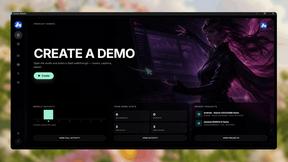
Screen Beaver
Create product videos manually or let your AI agent control Screen Beaver through MCP—no mouse or keyboard needed.

DigiCakey
Create and send personalized digital cakes with custom frosting, fruit, candles, cards, and drawings.


401k Calculator
401k Calculator.info is a free online tool to estimate retirement savings, employer match, and future 401(k) growth for smarter financial planning.

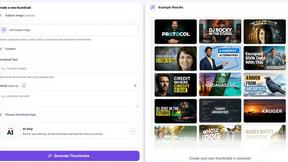
StopScroll
AI YouTube thumbnail maker that helps creators generate high-click thumbnails faster.
HubVanta AI
HubVanta AI helps creators generate images and videos with advanced AI tools for visual content workflows.
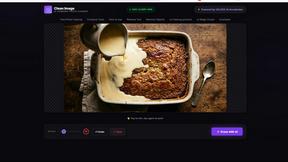
Clean Image AI-Powered Photo Cleanup
Clean Image is a private AI photo cleanup tool that removes text, logos, and blemishes entirely within your browser for instant results.