
SubcueAI
SubcueAI provides real-time AI answer suggestions during video interviews by capturing audio from platforms like Zoom and Google Meet.
Visit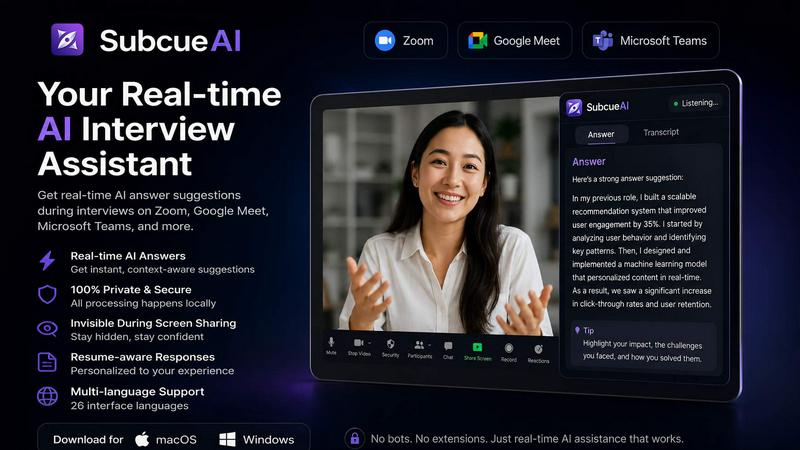
About SubcueAI
SubcueAI is a sophisticated AI interview assistant designed specifically for macOS (14.0 and above) and Windows (10 and above) users who are committed to improving their job interview performance. The application functions as a real-time answer suggestion tool that captures audio from popular video conferencing platforms including Zoom, Google Meet, Microsoft Teams, and WebEx. Using dual audio capture technology, it simultaneously records both system audio and microphone input, transcribes interview questions with speech-to-text capabilities, and generates context-aware responses powered by GPT-4o. SubcueAI supports a wide range of interview formats, including technical coding interviews, behavioral interviews, and case interviews. The primary value proposition lies in its ability to provide intelligent, real-time talking points displayed in a floating overlay, allowing users to practice and refine their responses. The software operates with a local-first architecture, meaning audio is captured and processed on the user's device without relying on meeting bots, browser plugins, or third-party recorders. Interview transcripts are never persisted on SubcueAI servers, and any uploaded resumes are encrypted at rest. With over 700 job candidates already using the platform, SubcueAI positions itself as a comprehensive interview preparation tool that combines real-time AI assistance with post-session performance analytics. The application includes a quick-toggle visibility hotkey for distraction-free practice and runs quietly in the background with minimal CPU and memory usage. SubcueAI is designed for preparation and practice, not for misrepresentation, and users are reminded that AI suggestions may be inaccurate and should be verified before answering.
Features of SubcueAI
Real-Time AI Answer Assistant
SubcueAI delivers intelligent, context-aware answer suggestions as you practice for interviews. Powered by GPT-4o, the system transcribes questions in real time and surfaces AI-generated talking points in a floating overlay on your screen. This feature works seamlessly for technical, behavioral, and case interview preparation, allowing you to review, internalize, and rehearse your responses effectively during practice sessions. The real-time nature of the assistant helps you build confidence and improve your ability to articulate structured answers under pressure.
Dual Audio Capture for Video Calls
The application captures both system audio and microphone simultaneously, ensuring complete transcription of all conversation elements during mock interviews with a partner. This dual audio capture technology works with Zoom, Google Meet, Microsoft Teams, WebEx, and any other video call platform. By recording both sides of the conversation, SubcueAI provides a comprehensive transcript that includes the interviewer's questions and your responses, enabling more accurate AI-generated suggestions and more meaningful post-session analysis.
Interview Performance Analytics
After each practice session, SubcueAI provides detailed AI analysis that includes scoring, identification of strengths and weaknesses, and actionable improvement suggestions. This feature allows users to track their progress across multiple practice rounds over time. The analytics go beyond simple transcription by evaluating the quality of your responses, identifying patterns in your communication, and offering targeted recommendations for improvement. This data-driven approach helps users focus their preparation efforts on the areas that need the most attention.
Private and Local-First Architecture
SubcueAI is built with a privacy-first design philosophy. Audio is captured locally on your device without using meeting bots, browser plugins, or third-party recorders. Interview transcripts are never persisted on SubcueAI servers, and any resumes you upload are encrypted at rest. The application runs quietly in the background with minimal CPU and memory usage, and includes a quick-toggle visibility hotkey for distraction-free focus during practice. This architecture ensures that your interview data stays on your device, providing trust and security.
Use Cases of SubcueAI
Technical Interview Preparation
Software engineers and developers preparing for technical coding interviews can use SubcueAI to practice explaining complex concepts like distributed systems, system design, and algorithm optimization. The real-time AI assistant helps structure technical explanations by providing talking points that cover key challenges, solutions, and measurable outcomes. Users can practice articulating their experience with specific technologies, frameworks, and architectural patterns while receiving immediate AI-generated guidance on how to present their technical expertise effectively.
Behavioral Interview Practice
Job candidates preparing for behavioral interviews can leverage SubcueAI to practice answering common questions about teamwork, leadership, conflict resolution, and career goals. The AI assistant helps structure STAR (Situation, Task, Action, Result) responses by providing context-aware suggestions based on the user's resume and previous answers. This feature is particularly valuable for candidates who want to ensure their behavioral responses are comprehensive, relevant, and demonstrate the specific competencies employers are seeking.
Case Interview Preparation
Consulting and business candidates can use SubcueAI to practice case interviews that require structured problem-solving, quantitative analysis, and strategic thinking. The AI assistant provides real-time guidance on framework selection, hypothesis testing, and recommendation formulation. Users can practice breaking down complex business problems, calculating key metrics, and presenting logical conclusions while receiving AI-generated suggestions that help them improve their case interview performance over multiple practice sessions.
Mock Interviews with Partners
SubcueAI is ideal for mock interview sessions conducted with a partner, whether that partner is a friend, mentor, or professional coach. The dual audio capture feature ensures both the interviewer's questions and the candidate's responses are transcribed and analyzed. After the session, both parties can review the detailed AI performance analysis to identify areas for improvement. This collaborative use case transforms simple practice sessions into structured learning opportunities with measurable outcomes.
Frequently Asked Questions
What is an AI interview assistant and how does SubcueAI work?
An AI interview assistant is a software tool that helps job candidates prepare for interviews by providing real-time answer suggestions and performance feedback. SubcueAI works by capturing audio from your computer during practice interviews conducted via Zoom, Google Meet, Microsoft Teams, or other video call platforms. It uses speech-to-text technology to transcribe questions as they are asked, then leverages GPT-4o to generate context-aware talking points that appear in a floating overlay on your screen. After the session, it provides detailed analytics including scoring, strengths, weaknesses, and improvement suggestions.
Does SubcueAI work with Zoom, Google Meet, and Microsoft Teams?
Yes, SubcueAI works with Zoom, Google Meet, Microsoft Teams, WebEx, and virtually any other video call platform. The application uses dual audio capture technology that simultaneously records both system audio and microphone input, ensuring complete transcription regardless of which video conferencing software you are using. This compatibility makes it suitable for both solo practice with pre-recorded questions and live mock interviews with a partner on any platform.
How is SubcueAI architected — is it a meeting bot?
SubcueAI is not a meeting bot. It is a local application that runs on your own computer. Audio is captured directly on your device without the need for browser plugins, third-party recorders, or any external infrastructure. The application operates quietly in the background with minimal CPU and memory usage. Interview transcripts are never persisted on SubcueAI servers, and any resumes you upload are encrypted at rest. This local-first architecture ensures your interview data remains private and under your control.
Can SubcueAI help with technical and behavioral interview prep?
Absolutely. SubcueAI is designed to support a wide range of interview formats, including technical coding interviews, behavioral interviews, and case interviews. For technical interviews, it helps structure explanations of complex concepts like distributed systems, system design, and algorithm optimization. For behavioral interviews, it assists with crafting STAR-method responses to questions about teamwork, leadership, and conflict resolution. The AI assistant adapts its suggestions based on the context of the question and the user's resume information.
Pricing of SubcueAI
SubcueAI offers a tiered pricing structure based on a credits model, with three main plans available on monthly, quarterly, and annual billing cycles. The Starter plan is free and includes 100 credits per month with access to the standard AI model and mock interview practice. The Pro plan costs 20 dollars per month and is the most popular option, providing 2,000 credits per month with the smart AI model, performance analytics, resume-driven context, and interview history and analysis. The Premium plan costs 75 dollars per month and includes 8,000 credits per month with the expert AI model, advanced analytics and insights, priority support, and early access to new features. Users can also purchase optional top-up packs that never expire for all plans. Quarterly billing offers a 10 percent discount, and annual billing provides a 20 percent discount compared to monthly pricing.
Explore more in this category:
Similar to SubcueAI

Novastart
Apps and files on an infinite canvas where people and AI agents work together.
ButterShare
Transfer files between iPhone, Android, Windows, and Mac directly from your browser. Free, secure, and private. No apps, cloud storage, or signup.
AI Email Filter
AI Email Filter sorts incoming mail into folders using plain-language prompts you write. Works with any IMAP mailbox; bring your own LLM if you want.


Product Launch Checklist
A free launch checklist for SaaS, apps, AI tools and more. Every step says why it matters and when you can skip it.
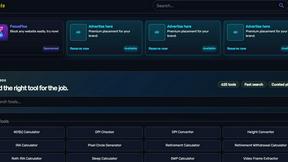
Kody Tools
Free collection of online developer utilities, code formatters, and digital converters designed to streamline your daily workflow.
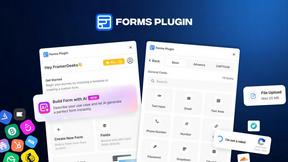
Forms Plugin
The #1 Native Form Builder Plugin for Framer - No Code, No Embeds, No External Platforms.