

Alternatives to PixUnblur
PixUnblur uses AI to sharpen blurry photos, restoring detail and clarity while preserving a natural look for sharing or printing.
20 alternatives found

FreeVideoGenerator
Free AI video generator: turn text prompts and photos into video clips with Sora 2, Veo 3.1, Wan and more. Free starter credits, no watermark download
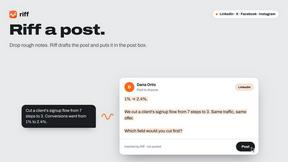
Riff
Free Chrome extension. Paste your rough point and Chrome's built-in AI writes a fresh reply for that post on X, LinkedIn, Facebook or Instagram.

AIPetGen
AIPetGen turns a photo of your dog, cat, or other pet, or a written description, into a new picture or a short animation.


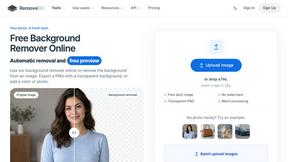



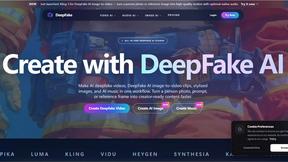




ContextBolt SEO
Research keywords, competitors, backlinks and AI visibility in Claude or Codex. Keep the findings in your SEO dashboard.



StyleCut
StyleCut is an AI hairstyle changer that lets you preview 70+ haircut ideas on your own photo before visiting the salon.


SnapPChart
SnapPChart grades a trading chart screenshot A+ to F, with an entry, stop, targets, and risk/reward. Works on stocks, forex, crypto, futures.
About PixUnblur Alternatives
PixUnblur is a specialized AI-powered photo enhancer and sharpener designed to restore detail and clarity to blurry images. It falls under the broader categories of Image Generation, Image & Photo editing tools, and AI Assistants, offering a streamlined solution for users who need to improve the quality of their visual assets without engaging in complex manual editing. The tool leverages advanced algorithms to reduce noise, recover fine textures, and produce high-resolution outputs suitable for both digital and print use. Users commonly seek alternatives to PixUnblur for several reasons, including differences in pricing models, the need for more advanced or specific editing features, or a preference for a different user interface or platform compatibility. Some users may require a tool that integrates more deeply with their existing workflow, such as a desktop application rather than a web or mobile solution, or they might be looking for a free tier with more generous usage limits. When evaluating alternatives, key factors to consider include the quality of the AI enhancement, the range of supported file formats, batch processing capabilities, the availability of a free trial, and the overall speed and reliability of the service for your specific type of images.
FAQs about PixUnblur Alternatives
What is PixUnblur?
PixUnblur is an AI-powered photo enhancer and sharpener that restores detail and clarity to blurry images online. It uses advanced artificial intelligence to turn low-quality, blurred shots into detailed, crisp pictures by reducing noise and recovering fine textures. The tool is designed to produce high-resolution outputs suitable for both digital use and professional printing.
Who is PixUnblur for?
PixUnblur is perfect for photographers, designers, and everyday users who want crisp, professional-looking images without complex editing. It caters to anyone who needs to salvage blurry photos quickly, whether for social media, e-commerce product images, or personal projects. The intuitive interface makes it accessible for non-technical users while still providing the quality that professionals demand.
What are the main features of PixUnblur?
The main features include AI-powered enhancement that restores detail and sharpens photos while preserving a natural look, as well as noise reduction and texture recovery for cleaner, more lifelike images. It also offers high-resolution output generation suited for print or digital use, plus batch processing capabilities with an easy workflow on both Web and Mobile platforms. These features allow users to process multiple images quickly without sacrificing quality.
Is PixUnblur free?
Based on the provided product content, PixUnblur's specific pricing model is not detailed, but it is common for such AI tools to offer a free tier with limited usage or a trial period. Users should check the official PixUnblur website for the most accurate and current information regarding free access, subscription plans, and any credit-based systems. The tool is described as having an intuitive interface, which often accompanies both free and paid versions.