
Push My App
Push My App generates search-optimized metadata, designs screenshots, scans for rejection risks, and submits directly to Apple and Google from one.
Visit
About Push My App
Push My App is a comprehensive, all-in-one platform designed specifically for indie developers and small studios who need to prepare, optimize, and submit their mobile applications to the Apple App Store and Google Play Store with maximum efficiency. This tool eliminates the traditionally time-consuming and error-prone process of app store listing creation by automating nearly every step of the submission workflow. At its core, Push My App leverages artificial intelligence to generate search-optimized metadata including app names, keywords, descriptions, and release notes in seconds, ensuring your app is discoverable by the right audience. Beyond content creation, the platform includes a powerful Pre-Flight Rejection Scanner that checks your build and listing against over 80 known Apple and Google rejection reasons before you submit, drastically reducing the risk of costly rejections. Developers can upload a single set of screenshots and automatically resize them into every required device size for both stores. The platform also supports full listing translation into 14 languages with keywords re-optimized per locale. For technical submission, you can simply drop your .ipa, .apk, or .aab file, and Push My App extracts the bundle ID, version, and icon, validates compliance, and submits directly to App Store Connect and Google Play in one click. Additionally, the platform allows you to generate a website and set up a support mailbox using your app metadata and screenshots. What traditionally took days of manual work now takes minutes, enabling developers to ship their next release up to five times faster.
Features of Push My App
AI-Generated ASO Metadata
This feature uses artificial intelligence to automatically generate your app name, subtitle, keywords, description, and release notes, all optimized for App Store Optimization (ASO) to maximize discoverability. The AI analyzes your app's purpose and target audience to produce high-conversion metadata that scores well against search algorithms. You receive a keyword score out of 100, with the AI suggesting up to eight optimized keyword suggestions. This eliminates the hours of research and drafting typically required, delivering ready-to-approve metadata in seconds rather than afternoons.
Pre-Flight Rejection Scanner
The Pre-Flight Rejection Scanner is a proactive compliance tool that scans your binary and listing against over 80 known rejection reasons used by Apple and Google before you submit. It identifies potential blockers such as missing privacy manifests, incorrect metadata, or technical non-compliance issues. By catching these problems early, the scanner prevents the frustrating and time-consuming cycle of submission rejection, revision, and resubmission. The tool provides clear, actionable feedback on exactly what needs to be fixed, saving developers days of waiting and troubleshooting.
Screenshot Resizer and Asset Generator
Upload a single set of screenshots and your app icon, and Push My App automatically generates every required device size for both the App Store and Play Store. This includes all iPhone, iPad, and Android screen sizes, ensuring your visuals look perfect on every device without manual resizing. The tool also applies device frames and allows you to add dynamic marketing text overlays, creating professional-looking screenshots that can significantly improve conversion rates. This feature eliminates the tedious and error-prone task of manually resizing assets for multiple device specifications.
Direct Submission with App File Scanner
This feature allows you to drag and drop your .ipa, .apk, or .aab file directly into the dashboard. Push My App automatically extracts the bundle ID, version number, and app icon, then validates your file for compliance with store requirements. Once validated, you can submit directly to App Store Connect and Google Play Console in a single click, with pre-submission validation ensuring everything is correct before the submission goes live. The platform tracks your submission status automatically, providing a clear history of all versions and submissions in one place.
Use Cases of Push My App
Solo Indie Developer Launching Their First App
A solo developer who has just finished coding their first mobile app faces the daunting task of creating store listings, writing compelling descriptions, generating keywords, and resizing screenshots for multiple devices. Push My App streamlines this entire process by using AI to generate optimized metadata, automatically resizing screenshots, and providing a rejection scanner that catches common mistakes made by first-time submitters. The developer can go from a finished codebase to a live store listing in a single afternoon, focusing their energy on coding rather than the administrative burden of app store submission.
Small Studio Managing Multiple App Versions
A small studio with several apps in their portfolio needs to efficiently manage updates, translations, and submissions across both iOS and Android platforms. Push My App provides a centralized dashboard where all app versions, metadata, and submission statuses are visible side by side. The translation feature allows the studio to expand into 14 different languages with keywords re-optimized per locale, significantly increasing their global reach. The automatic version history tracking replaces manual spreadsheets, and the one-click submission to both stores saves the team hours of repetitive work with each release.
Team Using CI/CD Pipelines for Automated Releases
Development teams that use continuous integration and deployment tools like Xcode, Android Studio, Expo, Fastlane, or GitHub Actions can integrate Push My App as the final step in their automated release pipeline. After the build is complete, the team can use the platform to automatically generate release notes, scan for rejection risks, and submit directly to the stores. This creates a seamless workflow from code commit to store publication, reducing the manual handoff and potential errors associated with traditional submission methods. The pre-submission validation ensures that automated releases do not accidentally submit non-compliant builds.
Developer Needing to Rapidly Localize an App for Global Markets
A developer whose app has gained traction in English-speaking markets now wants to expand into non-English speaking regions such as Germany, France, Japan, and Spain. Push My App's translation feature automatically translates the full listing into 14 languages while also re-optimizing keywords for each specific locale. This ensures that the app appears in local search results with relevant, high-performing keywords. The developer can preview all translations side by side and submit the localized listings directly to each store, dramatically accelerating the global expansion process without needing to hire translators or ASO specialists for each market.
Frequently Asked Questions
What file formats does Push My App accept for app submission?
Push My App accepts .ipa files for iOS submissions and .apk or .aab files for Android submissions. When you drop your file into the dashboard, the platform automatically extracts the bundle ID, version number, and app icon. It then validates the file for compliance with Apple and Google store requirements before allowing you to proceed with submission. This streamlined process eliminates the need to manually enter technical details or use separate tools for file validation.
How does the Pre-Flight Rejection Scanner work?
The Pre-Flight Rejection Scanner analyzes both your app binary and your store listing against a database of over 80 known rejection reasons used by Apple and Google. It checks for issues such as missing privacy manifests, incorrect metadata formatting, non-compliant content, and technical requirements that are commonly overlooked. The scanner provides a clear report with specific issues identified, their severity level, and actionable guidance on how to fix each problem before you submit. This proactive approach can save developers days of waiting for rejection feedback and the subsequent resubmission cycle.
Can I use Push My App if I already have existing apps on the stores?
Yes, Push My App is designed to work with both new and existing apps. You can import your existing app metadata and use the platform to manage updates, generate new release notes, resize screenshots for new device requirements, and submit updates directly. The platform maintains a version history so you can track changes over time and compare your current submission against your last one. This makes it an excellent tool for ongoing app maintenance and regular update cycles.
What languages are supported for translation?
Push My App supports translation into 14 languages including English, Spanish, German, French, Japanese, Portuguese, and eight additional languages. Importantly, when translating your listing, the platform does not simply perform a direct translation of your text. It re-optimizes your keywords for each specific locale to ensure your app remains discoverable in local app store searches. This localized keyword optimization is critical for achieving good visibility in international markets and is a feature that standard translation tools do not provide.
Pricing of Push My App
Push My App offers a tiered pricing structure designed to accommodate different user needs. The Starter plan is free and requires no credit card to begin. For users who need more advanced features, there is a Growth plan that includes a 30-day free trial. The platform also offers various tools and features at different price points, with the ability to compare plans on their pricing page. Additionally, Push My App provides free tools that do not require an account, allowing potential users to test the platform's capabilities before committing to a paid plan.
Similar to Push My App
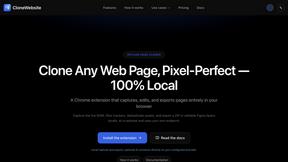
CloneWebsite
Clone any webpage pixel-perfect, export HTML/CSS/ZIP or React/Vue components.
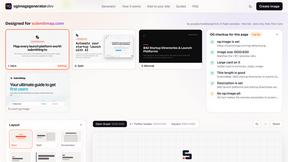
ogimagegenerator.dev
Paste a URL and AI designs on-brand Open Graph images from your page's colours, fonts and logo. Free, no sign-up.
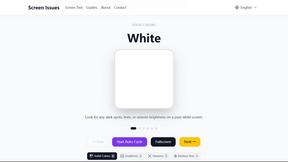
Screen Issues
Free Online Screen Test Tool - Instantly diagnose dead pixels, lines, color issues, and flickering. Multiple test modes, no download needed.
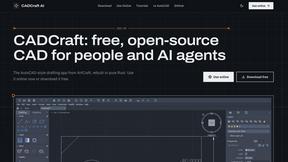
CADCraft
Free, open-source 2D CAD in Rust with layers, precision tools, and AI-ready MCP, JSON, and CLI automation.
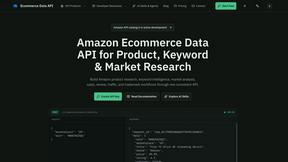
Ecommerce Data API
Amazon research data APIs, remote MCP and Agent Skills for products, keywords, markets, reviews and traffic.