
QuickTextTools
QuickTextTools provides over 76 free online utilities designed to boost productivity for writers and creators, all without sign-up.
Visit
About QuickTextTools
QuickTextTools is a free, user-friendly online platform that offers a robust suite of over 76 browser-based utilities aimed at enhancing productivity for a diverse range of users, including writers, marketers, developers, students, SEO professionals, and content creators. The platform is designed to simplify workflows and save time by providing an array of tools such as text formatting utilities, SEO analysis tools, writing assistants, and keyword management features. One of the standout aspects of QuickTextTools is its commitment to user privacy and security, as all tools operate directly in the browser, eliminating the need for complex installations or software downloads. This allows users to access practical solutions instantly, whether they need to analyze SEO meta tags, convert text case formatting, or improve their writing efficiency. QuickTextTools is dedicated to helping users work smarter and more effectively, ensuring a seamless and secure experience throughout their tasks.
Features of QuickTextTools
Text Formatting Tools
QuickTextTools includes a variety of text formatting options that allow users to clean up and organize their text quickly. These tools help convert text cases, remove unwanted characters, and adjust formatting to meet specific requirements, making content presentation easier and more professional.
SEO Analysis Utilities
The platform offers powerful SEO tools that enable users to analyze and optimize their content for search engines. Features like the Meta Tag Analyzer and Keyword Density Checker help users ensure their content ranks well, driving more traffic to their websites.
Writing Assistants
QuickTextTools provides writing assistance through utilities that help users check word counts, readability, and sentence length. These tools are essential for anyone looking to improve their writing quality and ensure their content is engaging and easy to read.
Developer Utilities
For developers, QuickTextTools includes a selection of utilities such as URL encoding and decoding, Base64 encoding, and JSON formatting. These tools simplify tasks that are often time-consuming, enhancing productivity and efficiency in coding and web development projects.
Use Cases of QuickTextTools
Content Creation
Writers and content creators can utilize QuickTextTools to streamline their content development process. By using tools like the Word Counter and Text Formatter, they can quickly refine their text, ensuring it meets word limits and is well-organized before publishing.
SEO Optimization
SEO professionals can leverage the platform's SEO analysis utilities to optimize web content. The Keyword Density Checker and Meta Tag Generator allow for effective keyword management, improving search engine rankings and visibility.
Academic Writing
Students and researchers can benefit from QuickTextTools by using features like the Character Counter and Reading Time Calculator. These tools help in preparing academic papers and presentations that adhere to specific formatting and length requirements.
Development Projects
Developers can enhance their workflow by using the platform’s developer utilities. For instance, encoding URLs and generating QR codes can be done seamlessly, saving time and reducing errors in their coding tasks.
Frequently Asked Questions
Is QuickTextTools really free?
Yes, QuickTextTools is completely free to use. There are no hidden fees or subscriptions required, allowing users to access all tools without any financial commitment.
Do I need to sign up to use QuickTextTools?
No, QuickTextTools does not require any sign-up or registration. Users can start using the tools immediately without needing to create an account.
Is my data safe when using QuickTextTools?
Yes, QuickTextTools prioritizes user privacy and data security. All tools operate within your browser, ensuring that your data remains private and is not stored on external servers.
How can I access QuickTextTools?
You can access QuickTextTools directly through its website in any modern web browser. Simply visit the site, choose the tool you need, paste your text, and get instant results.
Explore more in this category:
Similar to QuickTextTools

Novastart
Apps and files on an infinite canvas where people and AI agents work together.

ButterShare
Transfer files between iPhone, Android, Windows, and Mac directly from your browser. Free, secure, and private. No apps, cloud storage, or signup.
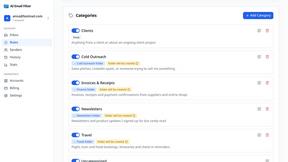
AI Email Filter
AI Email Filter sorts incoming mail into folders using plain-language prompts you write. Works with any IMAP mailbox; bring your own LLM if you want.


Product Launch Checklist
A free launch checklist for SaaS, apps, AI tools and more. Every step says why it matters and when you can skip it.

Kody Tools
Free collection of online developer utilities, code formatters, and digital converters designed to streamline your daily workflow.
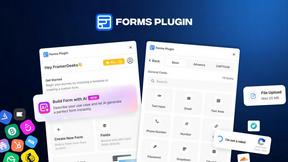
Forms Plugin
The #1 Native Form Builder Plugin for Framer - No Code, No Embeds, No External Platforms.