
QUVIAI
QUVIAI is an AI-powered platform that generates photorealistic visuals, 3D scenes, videos, and music from text or image inputs.
Visit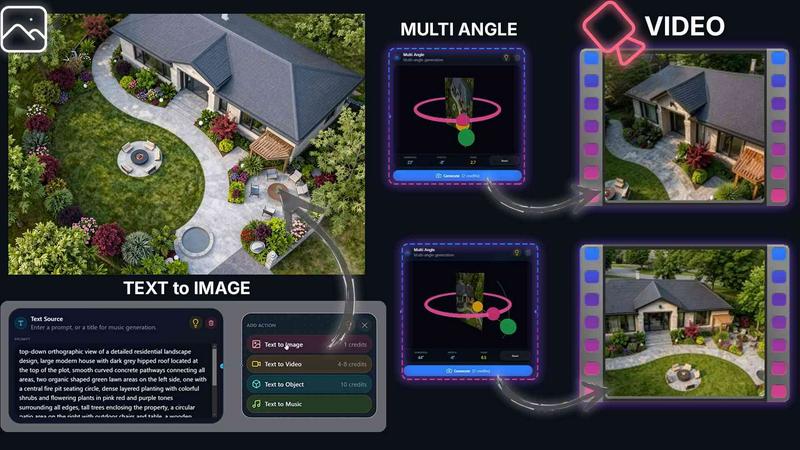
About QUVIAI
QUVIAI is an all-in-one AI-powered creative platform specifically designed for architects, designers, and creators who need to move from concept to production-ready visuals quickly and efficiently. The platform eliminates the need to switch between multiple software tools by integrating image generation, video creation, 3D modeling, rendering, editing, and even music generation into a single, unified workspace. Users can upload a simple sketch, a reference image, or a 3D model and transform it into photorealistic renders, cinematic videos, multi-angle views, floor plan renders, and original music compositions. A key differentiator is the built-in 3D workspace, which allows users to model, render, and iterate on designs without leaving the platform. This workspace supports text-prompt-based scene editing, furniture and decorative object generation, and precise object staging. QUVIAI is built to serve the entire architectural visualization pipeline, from early concept exploration and design iteration to final client presentations and marketing materials. The platform is accessible on web, iOS, and Android, making it a versatile tool for professionals working in the studio or on-site. With a focus on blending cutting-edge AI with practical usability, QUVIAI empowers users to turn their creative visions into polished, presentation-ready outputs with remarkable speed and consistency. New users can try the platform for free with included credits at quvi.ai.
Features of QUVIAI
AI Image Generation
This feature allows users to turn any text prompt or reference image into stunning, photorealistic architectural renders in a matter of seconds. The AI understands complex architectural styles, materials, lighting conditions, and spatial configurations, enabling users to generate high-quality concept visuals, interior designs, and exterior views directly from descriptive text or sketch inputs. It is the core tool for rapid ideation and visual exploration.
AI Video Creation
QUVIAI enables users to animate still images, generate cinematic walkthroughs, or create complete video sequences from a single text or image prompt. This feature is particularly powerful for architectural presentations, as it can transform a static render into a dynamic, immersive video that simulates a real-time walkthrough of a space, complete with camera movement and scene transitions.
Multi Angle Suite
This tool allows users to generate multiple architectural viewpoints from a single source image. Instead of creating separate renders for each perspective, designers can produce a rich set of presentation-ready views, including front, side, top, and isometric angles, all derived from one original render. This significantly speeds up the process of creating comprehensive visual packages for client reviews or project proposals.
Object Staging and 3D Object Creator
The Object Staging feature lets users generate 3D furniture and decorative objects directly within the platform and then precisely place them into scene backgrounds. This ensures that all elements in a render share consistent lighting and perspective, resulting in polished, realistic compositions. The built-in 3D Object Creator further expands this capability by allowing users to generate custom 3D assets from scratch.
Use Cases of QUVIAI
Architectural Concept Visualization
Architects and designers can use QUVIAI to rapidly generate photorealistic renders from initial sketches or text descriptions. This is ideal for early-stage design exploration, where multiple stylistic options and material palettes need to be visualized and compared quickly. The AI Image Generation and Edit tools allow for fast iteration based on client feedback without rebuilding scenes from scratch.
Cinematic Client Presentations
Create immersive, cinematic walkthrough videos of architectural projects for client presentations or marketing materials. By using the AI Video Creation and Multi Angle tools, professionals can produce dynamic sequences that showcase the flow and feel of a space, from a grand entrance to a private garden, all rendered with consistent lighting and high-quality materials.
Interior Design and Furniture Staging
Interior designers can leverage the Object Staging and 3D Object Creator to furnish empty room renders with custom or generated furniture and decor. This allows for precise visualization of how different pieces will look and fit within a space, enabling clients to make informed decisions about layout, style, and color schemes before any physical purchase is made.
Marketing and Social Media Content Creation
Real estate marketers and architecture firms can use QUVIAI to quickly produce a variety of visual content for websites, brochures, and social media. The platform's ability to generate multiple views, videos, and even original background music from a single source image streamlines the content creation pipeline, ensuring a consistent and professional brand presence across all channels.
Frequently Asked Questions
What types of input files does QUVIAI accept?
QUVIAI accepts a wide range of inputs to kickstart your creative process. You can upload sketches, reference images, and 3D models. The platform is designed to transform these inputs into photorealistic renders, videos, and other outputs. For text-based generation, you can use detailed prompts to describe the desired architectural style, materials, lighting, and scene composition.
Can I edit a generated render after it is created?
Yes, QUVIAI includes a dedicated Edit suite that allows you to refine your visuals after generation. You can use tools like masking, inpainting, cleanup, and detail adjustments to modify specific areas of an image. This is built for a fast, iterative workflow, allowing you to make targeted changes without having to regenerate the entire scene from scratch.
Is QUVIAI available on mobile devices?
Yes, QUVIAI is fully accessible on mobile devices. The platform is available as a web application and also has dedicated apps for both iOS and Android. This allows architects, designers, and creators to work on their projects, generate renders, and review outputs while on the go, whether they are at a construction site, a client meeting, or traveling.
Is there a free trial available to test the platform?
Yes, QUVIAI offers a free trial for new users. When you sign up, you receive free credits that allow you to generate your first renders and explore the platform's core features without any initial payment. This allows you to test the quality of the AI outputs, the speed of the workflows, and the overall usability of the platform before committing to a paid plan. You can get started at quvi.ai.
Similar to QUVIAI

StyleCut
StyleCut is an AI hairstyle changer that lets you preview 70+ haircut ideas on your own photo before visiting the salon.
Vismuse
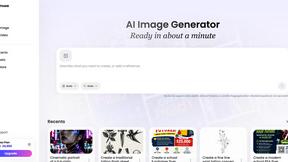
Create polished AI images and videos from prompts or references for social posts, ads, flyers, album covers, and campaigns.
StopScroll
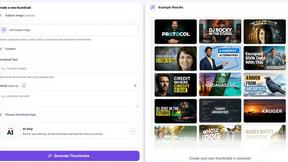
AI YouTube thumbnail maker that helps creators generate high-click thumbnails faster.
morsecode-translator
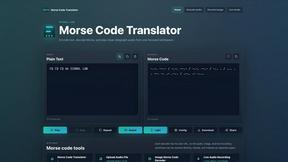
Morse code translator that encodes text, decodes audio and image inputs, and plays clean telegraph sound from one focused workspace.
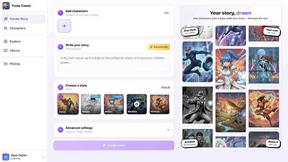
Yume Comic
Yume Comic transforms your story ideas into professional manga, manhwa, and webtoon pages with consistent characters and no drawing skills required.
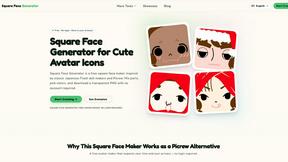
Square Face Generator
Square Face Generator is a free, browser-based avatar maker that lets you mix parts and colors to create cute square icons with transparent PNG.

Voloshow
Voloshow is an AI creative studio for generating, editing, and enhancing images and short videos in one workspace.
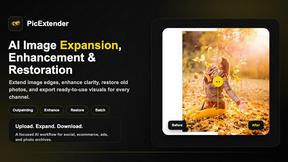
PicExtender
PicExtender uses AI to expand, enhance, and restore images, letting you resize canvases, sharpen details, and revive old photos in one efficient.