

Alternatives to QUVIAI
QUVIAI is an AI-powered platform that generates photorealistic visuals, 3D scenes, videos, and music from text or image inputs.
11 alternatives found
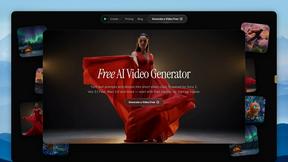
FreeVideoGenerator
Free AI video generator: turn text prompts and photos into video clips with Sora 2, Veo 3.1, Wan and more. Free starter credits, no watermark download
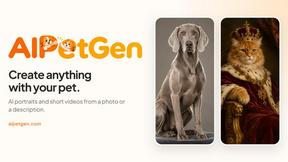
AIPetGen
AIPetGen turns a photo of your dog, cat, or other pet, or a written description, into a new picture or a short animation.

StyleCut
StyleCut is an AI hairstyle changer that lets you preview 70+ haircut ideas on your own photo before visiting the salon.

Vismuse
Create polished AI images and videos from prompts or references for social posts, ads, flyers, album covers, and campaigns.
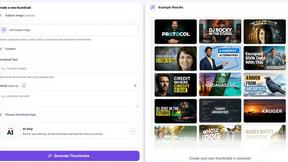
StopScroll
AI YouTube thumbnail maker that helps creators generate high-click thumbnails faster.
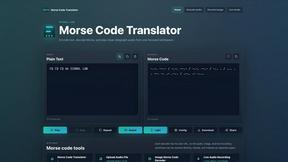
morsecode-translator
Morse code translator that encodes text, decodes audio and image inputs, and plays clean telegraph sound from one focused workspace.
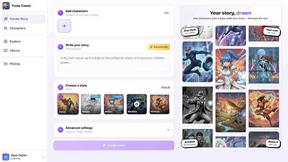
Yume Comic
Yume Comic transforms your story ideas into professional manga, manhwa, and webtoon pages with consistent characters and no drawing skills required.
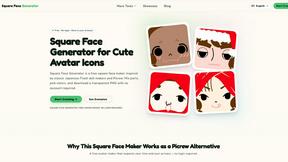
Square Face Generator
Square Face Generator is a free, browser-based avatar maker that lets you mix parts and colors to create cute square icons with transparent PNG.

Voloshow
Voloshow is an AI creative studio for generating, editing, and enhancing images and short videos in one workspace.
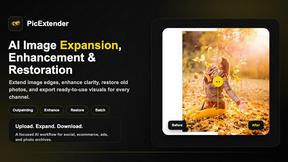
PicExtender
PicExtender uses AI to expand, enhance, and restore images, letting you resize canvases, sharpen details, and revive old photos in one efficient.
About QUVIAI Alternatives
QUVIAI is an all-in-one AI-powered creative platform that belongs to the image generation and 3D design category. It enables architects, designers, and creators to upload sketches, images, or 3D models and transform them into photorealistic renders, cinematic videos, multi-angle views, floor plan renders, 3D objects, and original music, all within a single workspace. Users commonly look for alternatives to QUVIAI for several reasons, including pricing considerations, the need for more specialized features for specific workflows, platform compatibility requirements, or a desire for different output styles or rendering engines. Additionally, some users may seek tools with a simpler interface, more robust collaboration capabilities, or integration with existing software ecosystems they already rely on. When choosing an alternative to QUVIAI, it is important to evaluate the specific creative tasks you need to accomplish, such as whether you require photorealistic rendering, 3D modeling, video generation, or music composition. Consider the platform's ease of use, the quality and speed of output, and whether it offers a built-in 3D workspace or relies on external integrations. Pricing models, including free tiers, subscription costs, and usage limits, should also be compared. Finally, assess the platform's compatibility with your preferred devices and operating systems, as well as the availability of customer support and community resources to help you get the most out of the tool.
FAQs about QUVIAI Alternatives
What is QUVIAI?
QUVIAI is an all-in-one AI-powered creative platform designed for architects, designers, and creators. It allows users to upload sketches, images, or 3D models and transform them into photorealistic renders, cinematic videos, multi-angle views, floor plan renders, 3D objects, and original music. The platform features a built-in 3D workspace that enables modeling, rendering, and iteration without switching between different tools. QUVIAI is available on web, iOS, and Android.
Who is QUVIAI for?
QUVIAI is specifically built for architects, designers, and creators who need to generate high-quality visual content quickly. It is ideal for professionals who work with sketches, images, or 3D models and require photorealistic renders, cinematic videos, or floor plan visualizations. The platform also serves users who want to generate furniture, decorative objects, and original music to enhance their creative projects. Its built-in 3D workspace makes it suitable for those who prefer a streamlined, all-in-one workflow.
Is QUVIAI free?
QUVIAI offers a free trial that allows users to explore its core features before committing to a paid plan. The free tier provides limited access to the platform’s capabilities, such as generating renders, videos, and music from inputs. For full access to advanced features, higher resolution outputs, and more extensive usage limits, users can upgrade to a paid subscription. Pricing details are available on the official QUVIAI website at quvi.ai.
What are the main features of QUVIAI?
QUVIAI’s main features include AI-powered generation of photorealistic renders, cinematic videos, multi-angle views, floor plan renders, and 3D objects from sketches, images, or 3D models. It also produces original music based on user inputs. The platform includes a built-in 3D workspace for modeling, rendering, and editing scenes using text prompts. Additionally, users can generate and stage furniture and decorative objects, and create cinematic walkthroughs from start and end frames.